How to measure the actual effectiveness of a fashion website’s organization? The structure of a fashion site influences both the shopping journey and indexing by search engines. Two sites selling the same categories of clothing can show radically different performances depending on the depth of their hierarchy, the number of links in their menus, and the logic of their product page rankings.
Hierarchy Depth and Clicks: What Separates a Smooth Site from a Confusing One
Most competitive analyses focus on types of structures (hierarchical, linear, matrix). They overlook a measurable parameter: the number of clicks between the homepage and the product page. On a fashion site, each additional click increases the risk of abandonment.
A site that requires a journey from Home > Category > Sub-category > Filter > Product demands four interactions before reaching the item. A competitor that groups its collections with a mega-menu accessible from the homepage reduces this journey to two clicks.
| Navigation Model | Average Depth (clicks to product page) | Main Risk |
|---|---|---|
| Simple menu with nested sub-categories | 3 to 4 | Abandonment on mobile, poorly indexed deep pages |
| Mega-menu with hierarchical columns | 2 | Cognitive overload if more than 30 links per panel |
| Navigation by dynamic filters (without fixed categories) | Variable (2 to 5) | Duplicate URLs, wasted crawl budget |
Recent recommendations on e-commerce navigation advocate structuring fashion collections in hierarchical columns and keeping the number of visible links per panel below a threshold of about 30 to maintain clarity. Beyond that, the user no longer scans; they leave the menu.
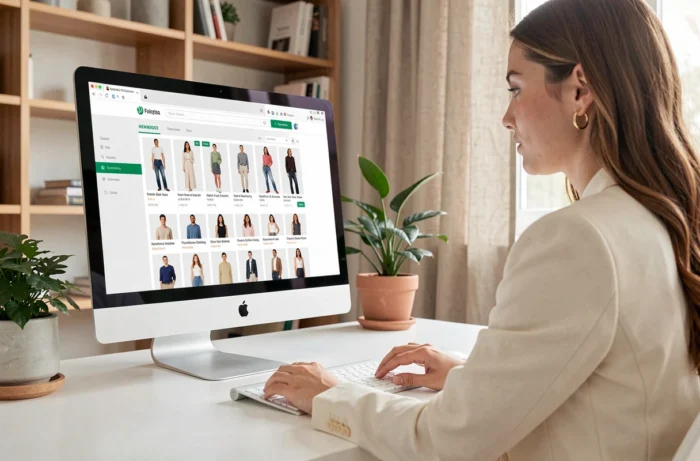
To observe how a fashion site concretely organizes its sections, exploring the structure of the Mode For You site provides an overview of the category-page hierarchy in a real case.
Categories and Filters on a Fashion Site: Two Navigation Logics That Do Not Replace Each Other
On a fashion site, categories (Women, Men, Accessories, Shoes) constitute the fixed hierarchy. Filters (size, color, material, price) act as a dynamic layer. Confusing the two degrades navigation and SEO.
Categories define the permanent architecture of the site, the one that Google explores and indexes. Filters, on the other hand, generate combinations of URLs. If each combination of filters creates an indexable page, the number of pages explodes without providing unique content.
- Main categories should match the actual search queries of users (for example, “summer dress,” “men’s leather jacket,” “handbag”) and not internal catalog codes.
- Size, color, or material filters should remain as non-indexed URL parameters, unless a specific combination meets an identified search intent.
- A well-constructed category page includes descriptive text, a coherent breadcrumb trail, and internal links to sub-categories or seasonal collections.
The sitemap reflects this distinction. It lists categories and product pages, not filtered results. It is a reliable indicator of the structural quality of a fashion site.
Accessibility of E-commerce Fashion Navigation: Regulatory Requirement Since June 2025
Since June 28, 2025, the European Accessibility Act mandates the accessibility of the entire e-commerce navigation chain for sites selling to consumers in the European Union. Directive (EU) 2019/882 does not limit itself to the homepage: it covers product search, selection, cart, payment, and access to the customer account.
For a fashion site, this directly affects menus, sorting filters, login forms, and ordering steps. Every navigation element must be usable via keyboard, with a logical heading structure and alternative text on visuals.

This obligation changes the way to design the hierarchy. A visually sophisticated mega-menu that relies solely on mouse hover becomes non-compliant if no keyboard alternative exists. Fashion sites that use images without alt attributes to present their collections in navigation violate the directive.
- The main navigation must work entirely via keyboard and with a screen reader.
- Filters (size, color, price) must use accessible components (checkboxes, dropdown lists with explicit labels).
- The breadcrumb trail provides a positional reference that meets WCAG 2.2 criteria, provided that each level is an active link.
Internal Linking on a Fashion Site: Connecting Collections, Looks, and Product Pages
The organization of internal links distinguishes a high-performing fashion site from a simple online catalog. Each product page should link to its parent category and to complementary products, not just similar items.
A site selling a linen jacket can link this page to the “Women’s Jackets” category, to a complete look (“Summer Office Outfit”), and to the matching pants. This cross-linking distributes SEO weight among the pages and guides the user through a coherent shopping journey.
In contrast, a site that only connects its product pages through an automatically generated “You may also like” carousel creates closed loops. Collection or lookbook pages, which could capture long-tail queries, remain orphaned and poorly indexed.
The XML sitemap and the visible internal linking must tell the same story. If a category page appears in the sitemap but no internal link leads to it from the menu or product pages, search engines will assign it little value. Consistency between declared structure and actual structure remains the most reliable criterion for evaluating the organization of a fashion site.